Attach policy to group
Attach policy to CostTest group
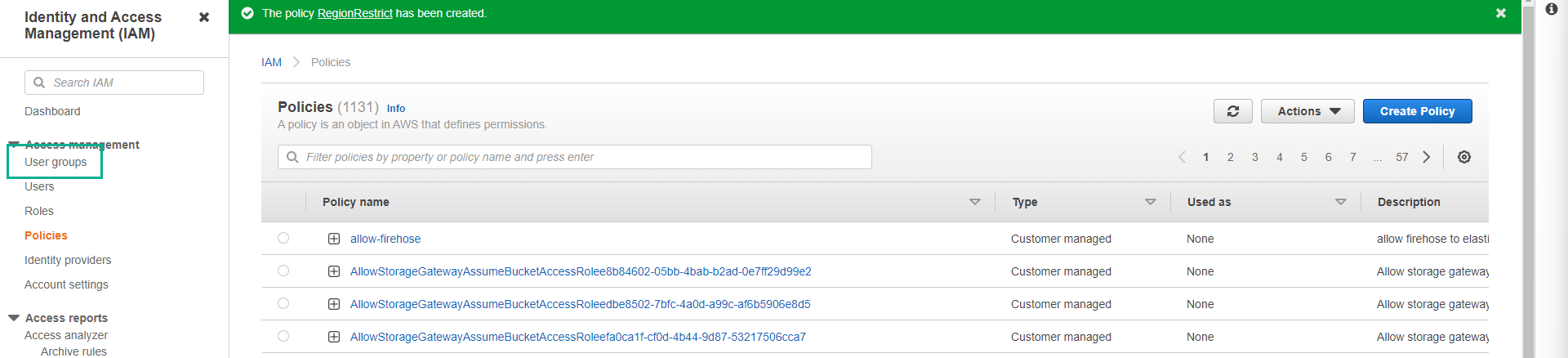
- After creating the policy successfully. In the left menu, click IAM user groups.
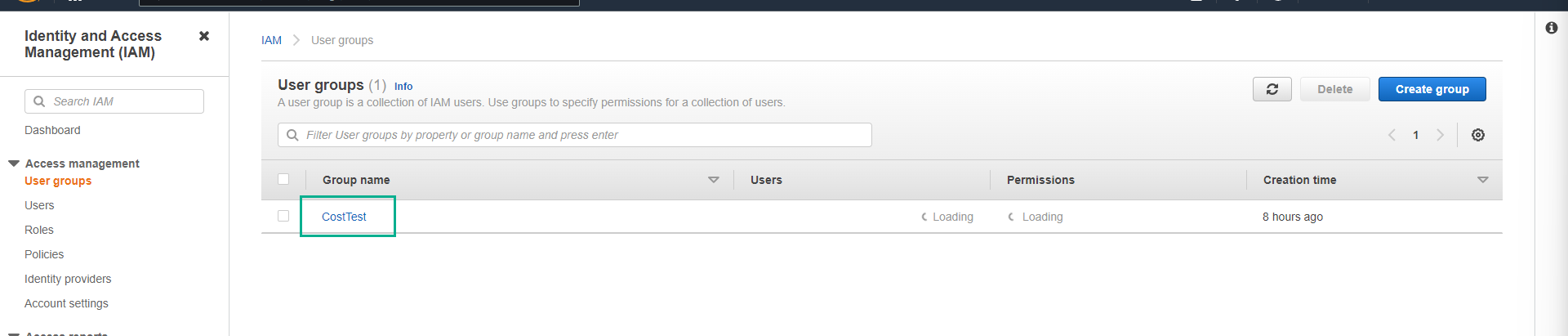
- Click on the CostTest group.
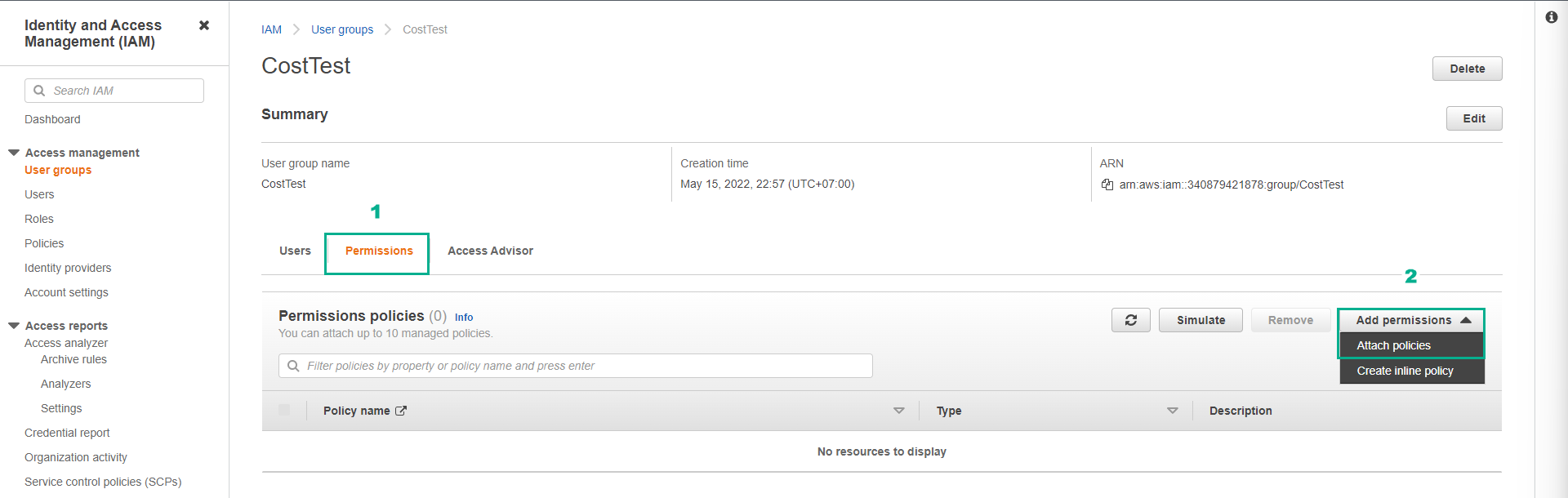
- On the CostTest group page.
- Click the Permissions tab.
- Click Add permissions.
- Click Attach policies.
- In the Filter by Type box, click Customer managed.
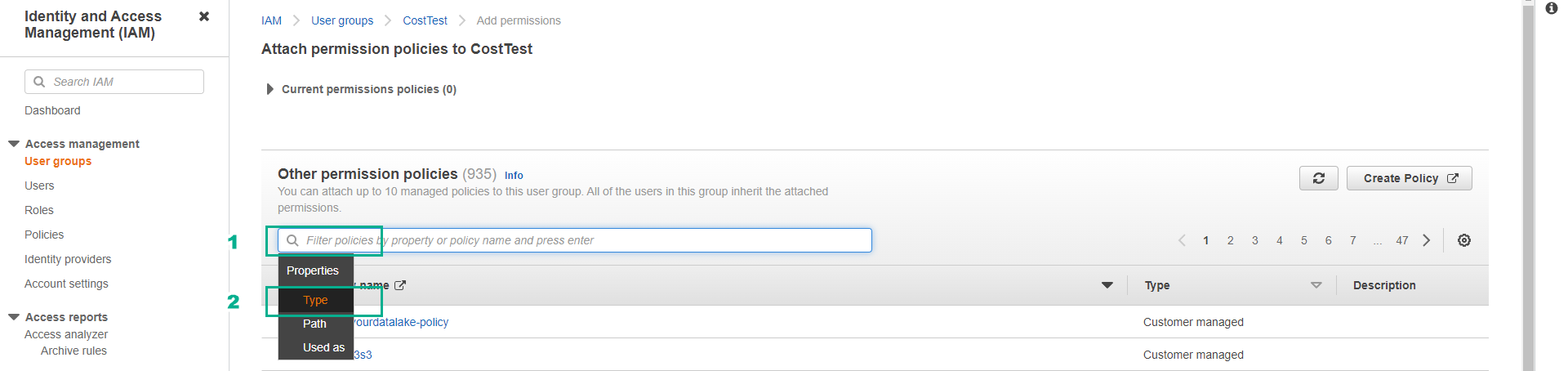
Customer managed are IAM Policies that we create and manage ourselves.
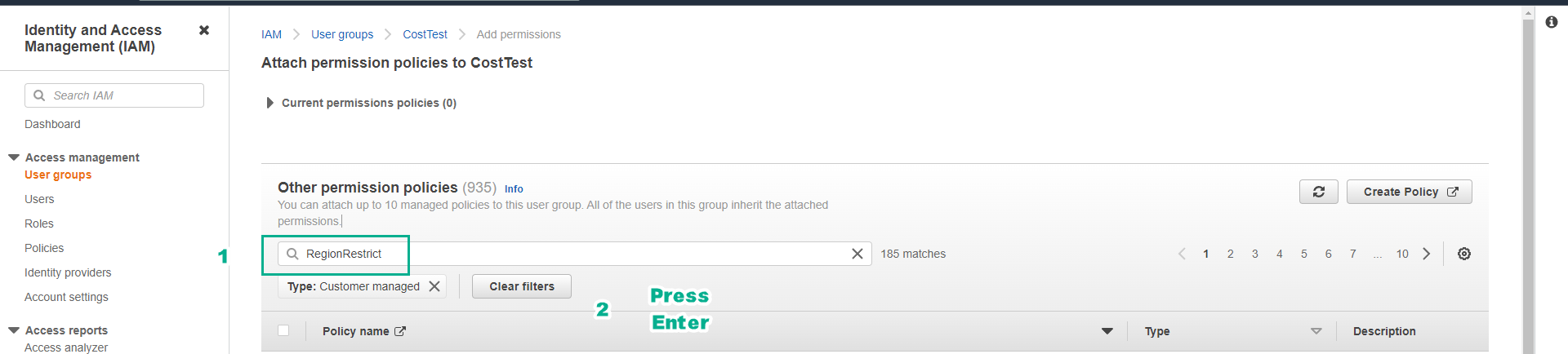
- Click on the Filter box, enter the policy name we created in the previous step ( RegionRestrict ).
- Press Enter.
- Click the checkbox next to the RegionRestrict policy.
- Click Attach policies.
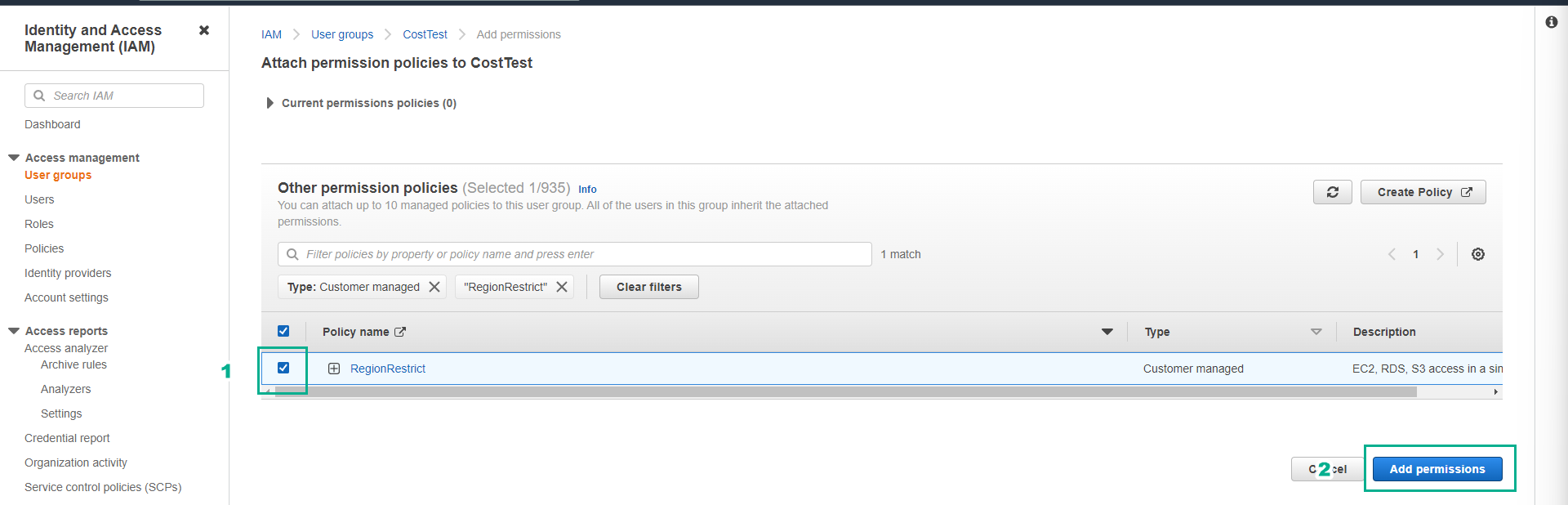
- Ensure the policy is attached successfully.

In the next step, we will log in with the testuser to test the permissions on the Region we have assigned.