Attach policy to group
Attach policy to CostTest group
- After creating the policy successfully. In the left menu, click User groups.
- Click on the CostTest group.
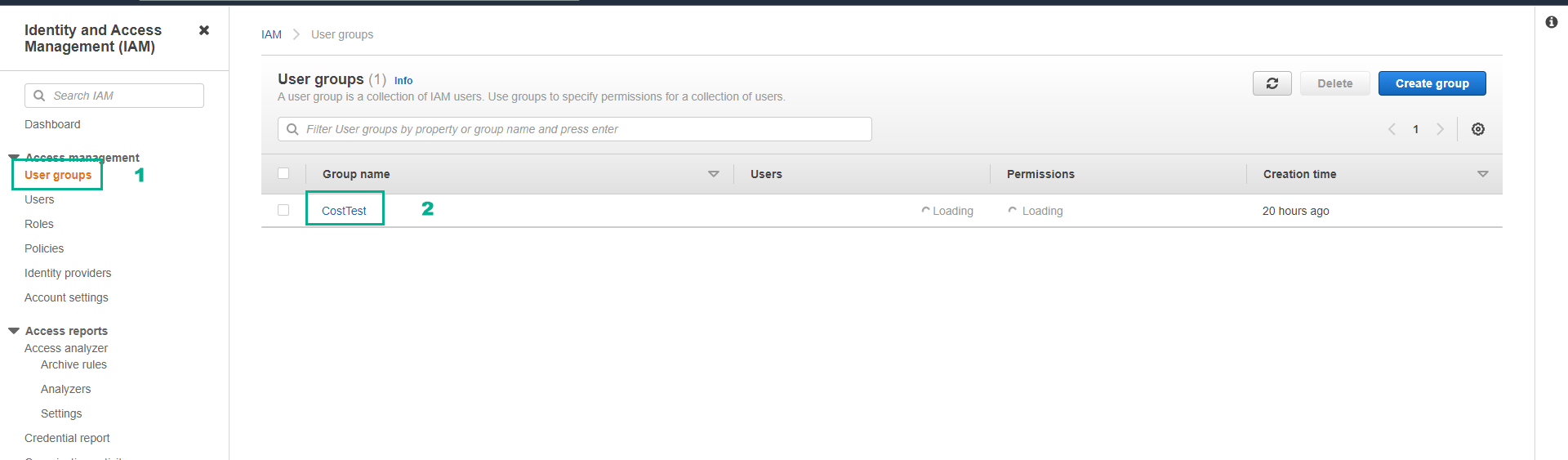
On the CostTest group page.
- Click the Permissions tab.
- Click Add permissions.
- Click Attach policies.
In the Filter by Type box, click Customer managed.
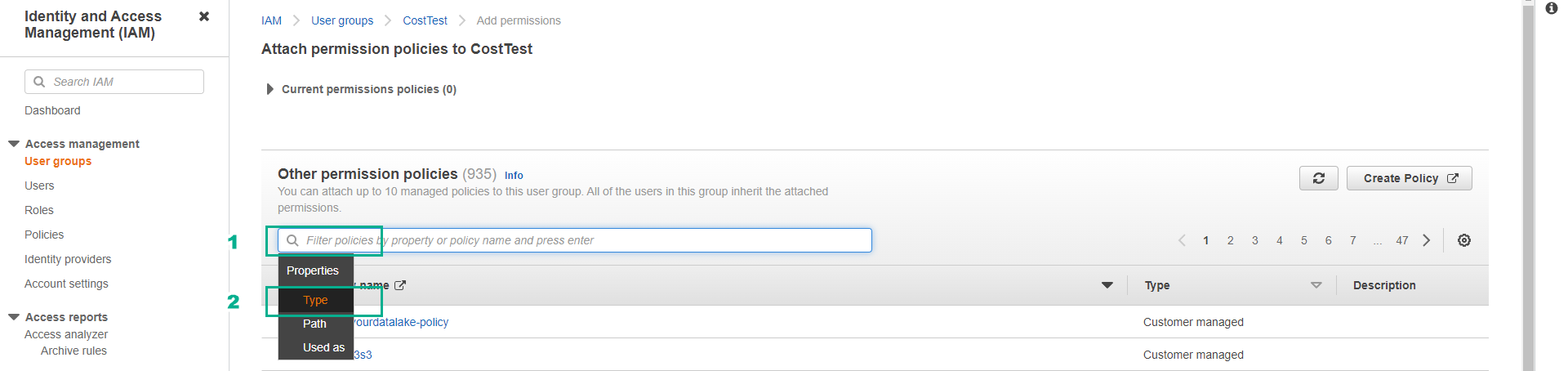
Customer managed are IAM Policies that we create and manage ourselves.
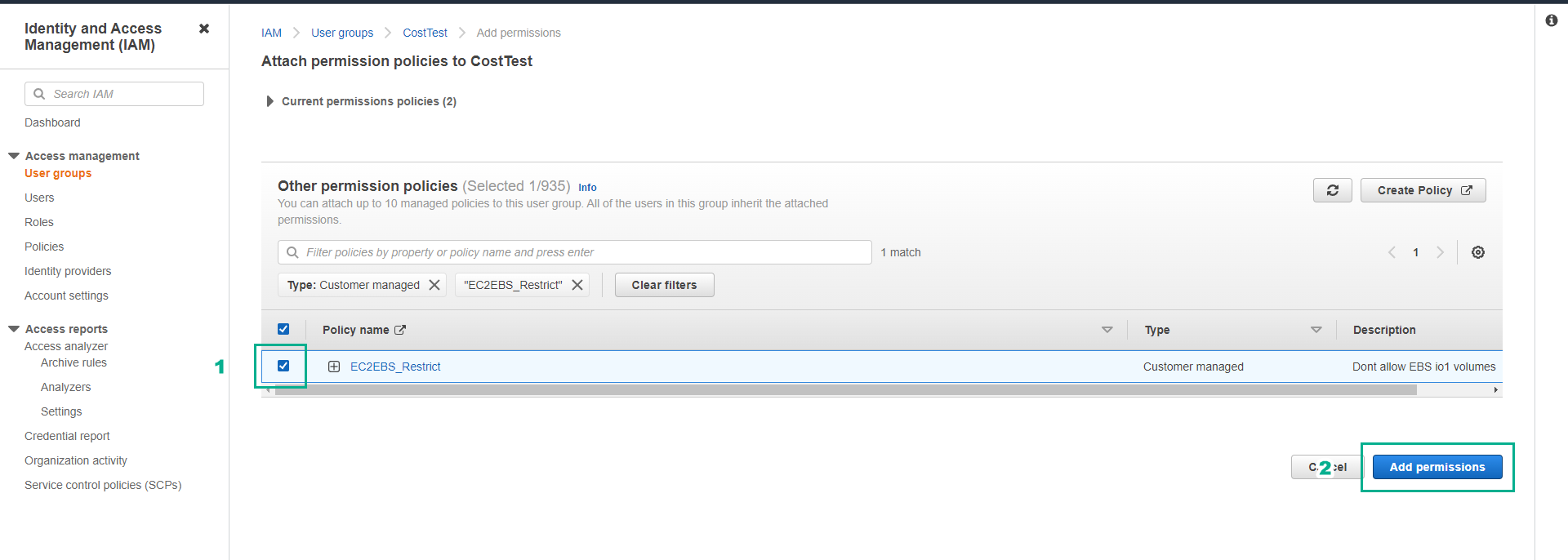
Click on the Filter box, enter the policy name we created in the previous step ( EC2EBS_Restrict ).
- Press Enter.
Click the checkbox next to the EC2EBS_Restrict policy.
- Click Add permissions.
- Ensure the policy is attached successfully.
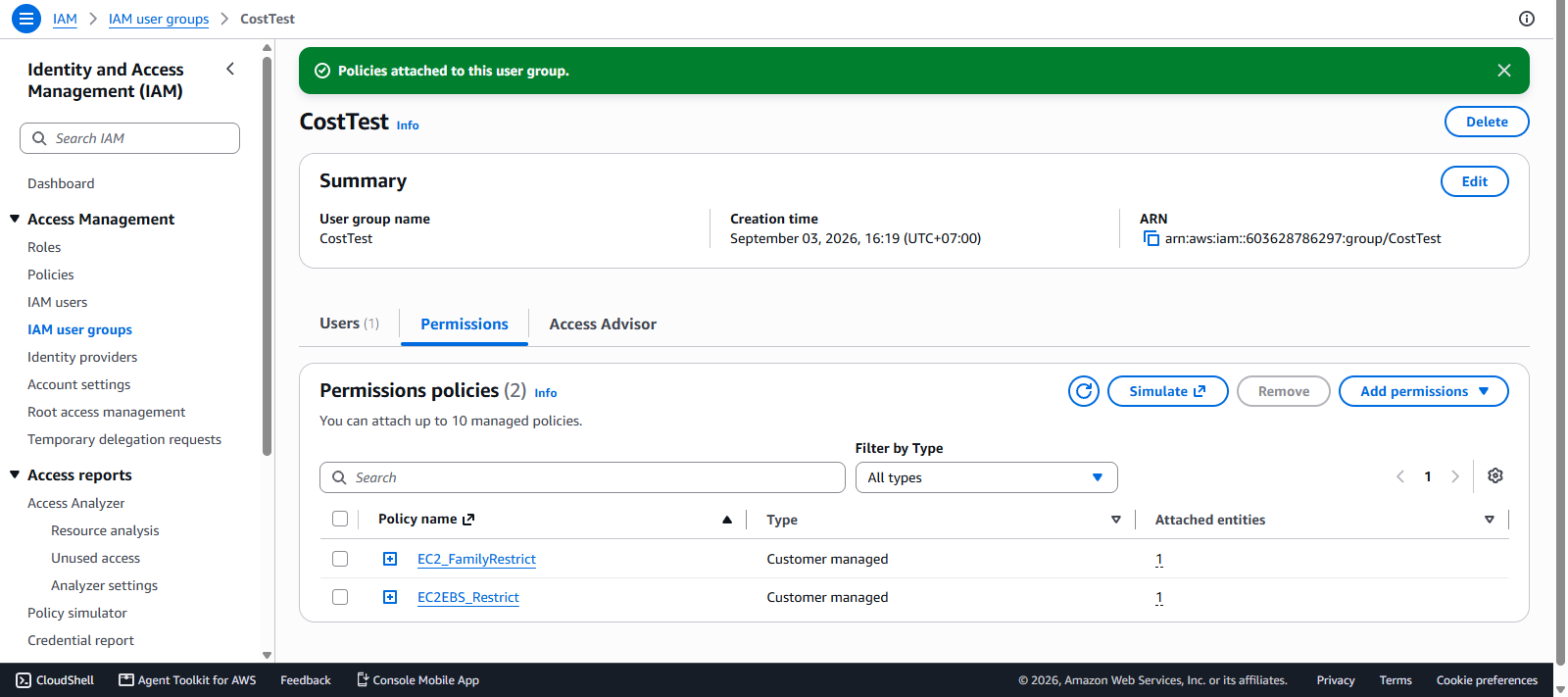
In the next step, we will log in with the user testuser to check if we can create an EC2 server with an attached EBS volume of type io1.