Clean up resources
We will proceed to delete the resources in the following order.
Delete IAM Policy RegionRestrict
Sign out and log back in with an IAM user with admin privileges.
Access the IAM service management console
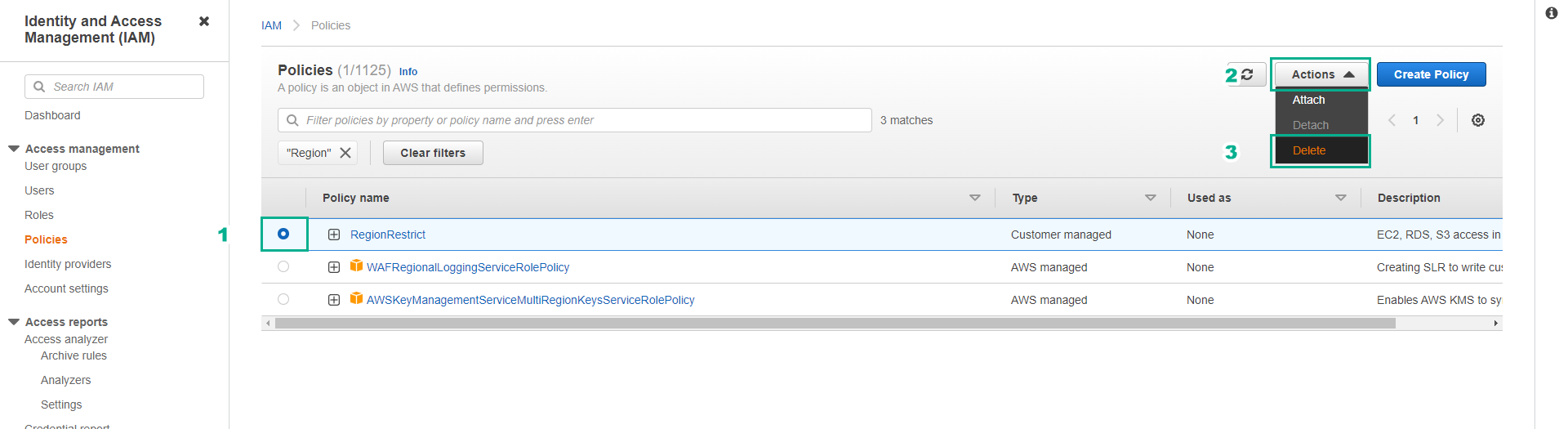
- Click Policies.
In the search box, enter RegionRestrict.
- Press Enter.
Click to select the RegionRestrict policy.
- Click Delete.
- Enter RegionRestrict to confirm deleting the policy.
- Click Delete.

Delete IAM Policy EC2EBS_Restrict
Click the X icon to clear the Filter.
In the search box, enter EC2EBS_Restrict
- Press Enter.
Click to select the EC2EBS_Restrict policy
- Click Delete.
Enter EC2EBS_Restrict to confirm deleting the policy.
- Click Delete.
Delete IAM Policy EC2_FamilyRestrict
Click the X icon to clear the Filter.
In the search box, enter EC2_FamilyRestrict
- Press Enter.
Click to select the EC2_FamilyRestrict policy
- Click Delete.
Enter EC2_FamilyRestrict to confirm deleting the policy.
- Click Delete.
Delete IAM user testuser
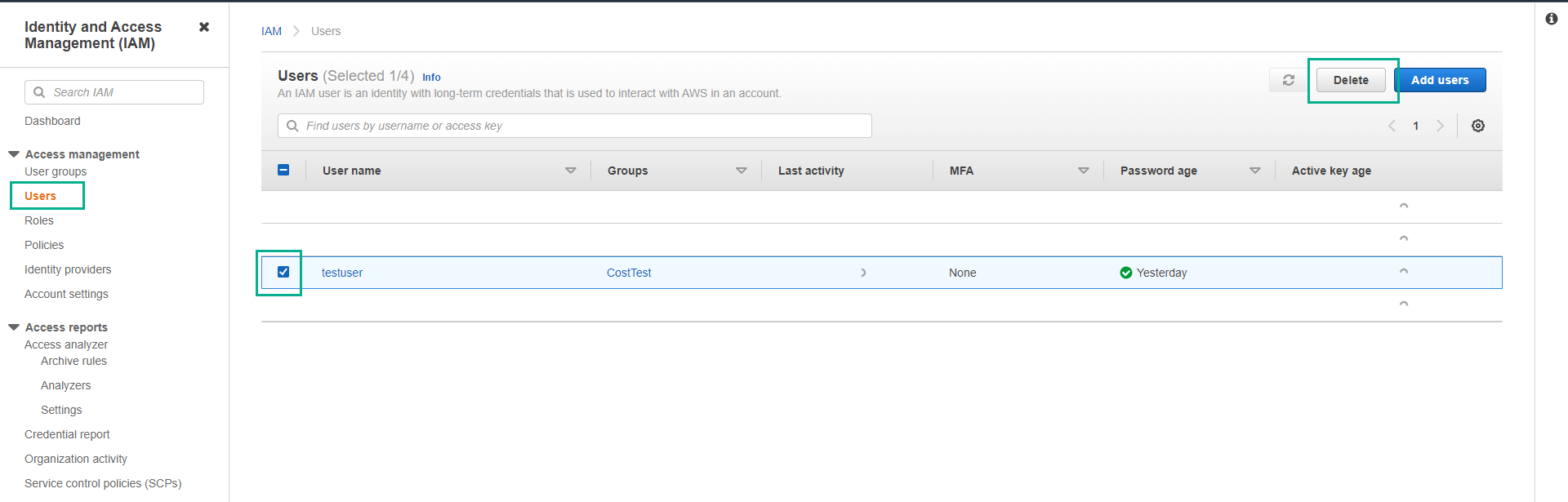
- Click IAM Users.
- Click to select testuser.
- Click Delete user.
- Enter confirm to confirm.
- Click Delete users.
Delete IAM group CostTest
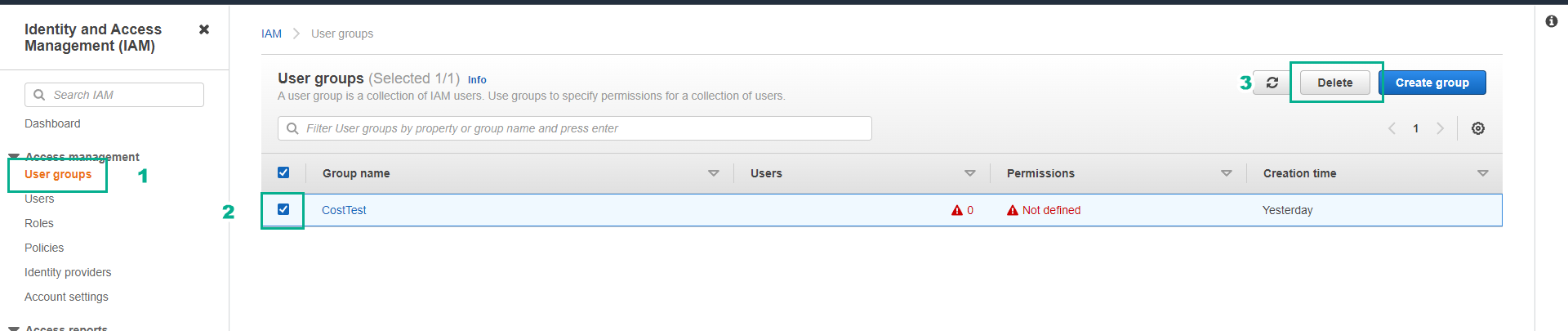
- Click IAM user groups.
- Click to select the CostTest group.
- Click Delete.
- Enter CostTest to confirm.
- Click Delete.