Create limit policy
Create policy to limit resource usage by EC2 family
Sign out and log back in with an IAM user with admin privileges.
Access the IAM service management console
- Click Policies.
- Click Create Policy.
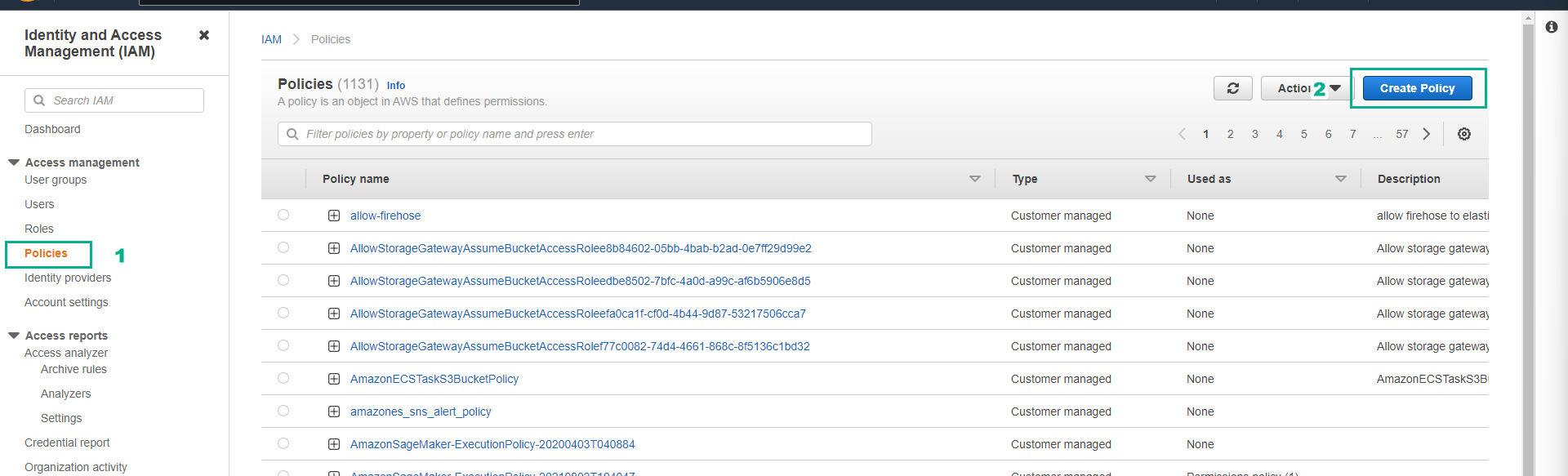
- On the Create policy page.
- Click the JSON tab.
- Copy the policy snippet below into it.
{
    "Version": "2012-10-17",
    "Statement": [
        {
            "Effect": "Allow",
            "Action": "ec2:*",
            "Resource": "*",
            "Condition": {
                "ForAllValues:StringLike": {
                    "ec2:InstanceType": [
                        "t3.*"
                    ]
                }
            }
        }
    ]
}
Click Next.
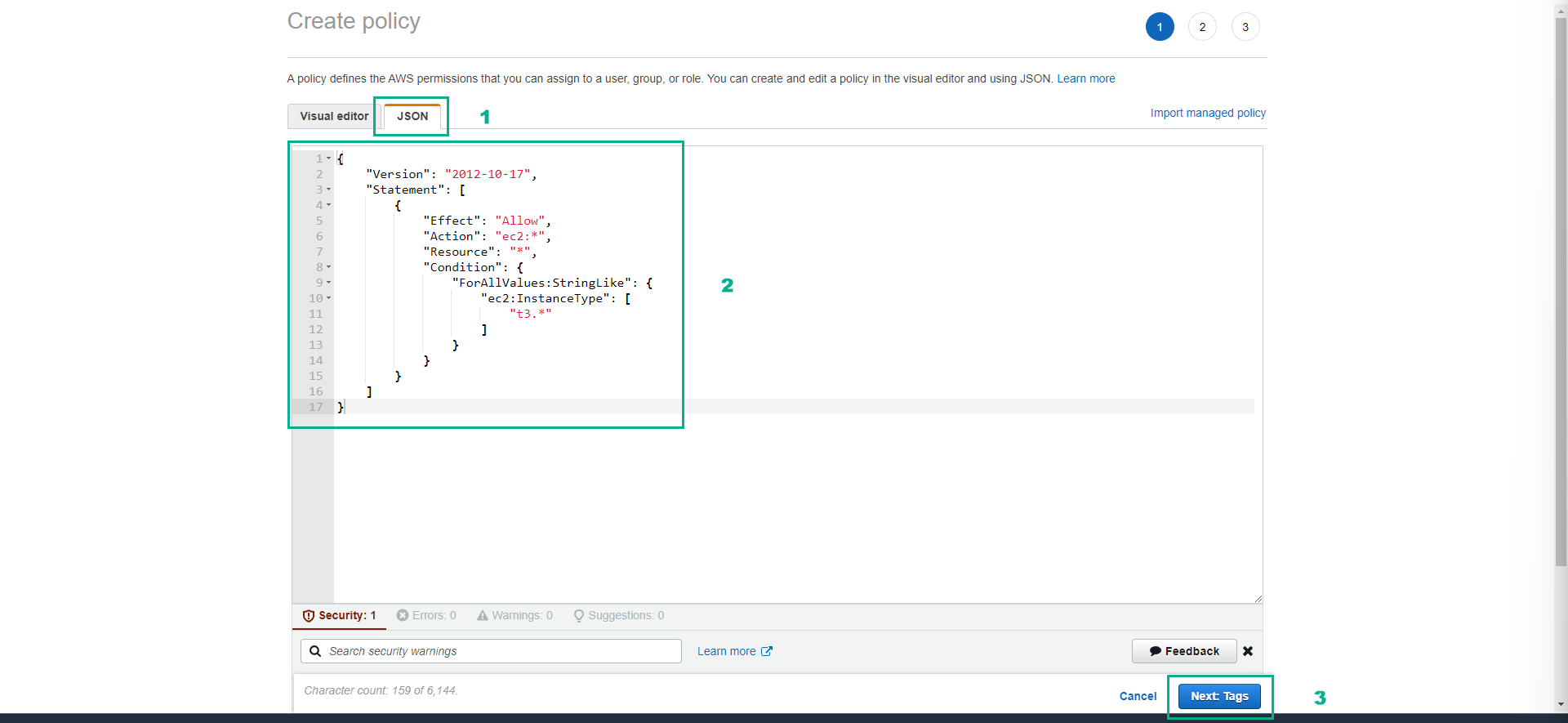
- Click Next: Review.
- At Name enter EC2_FamilyRestrict.
- At Description enter Restrict to t3 families.
- Click Create policy.
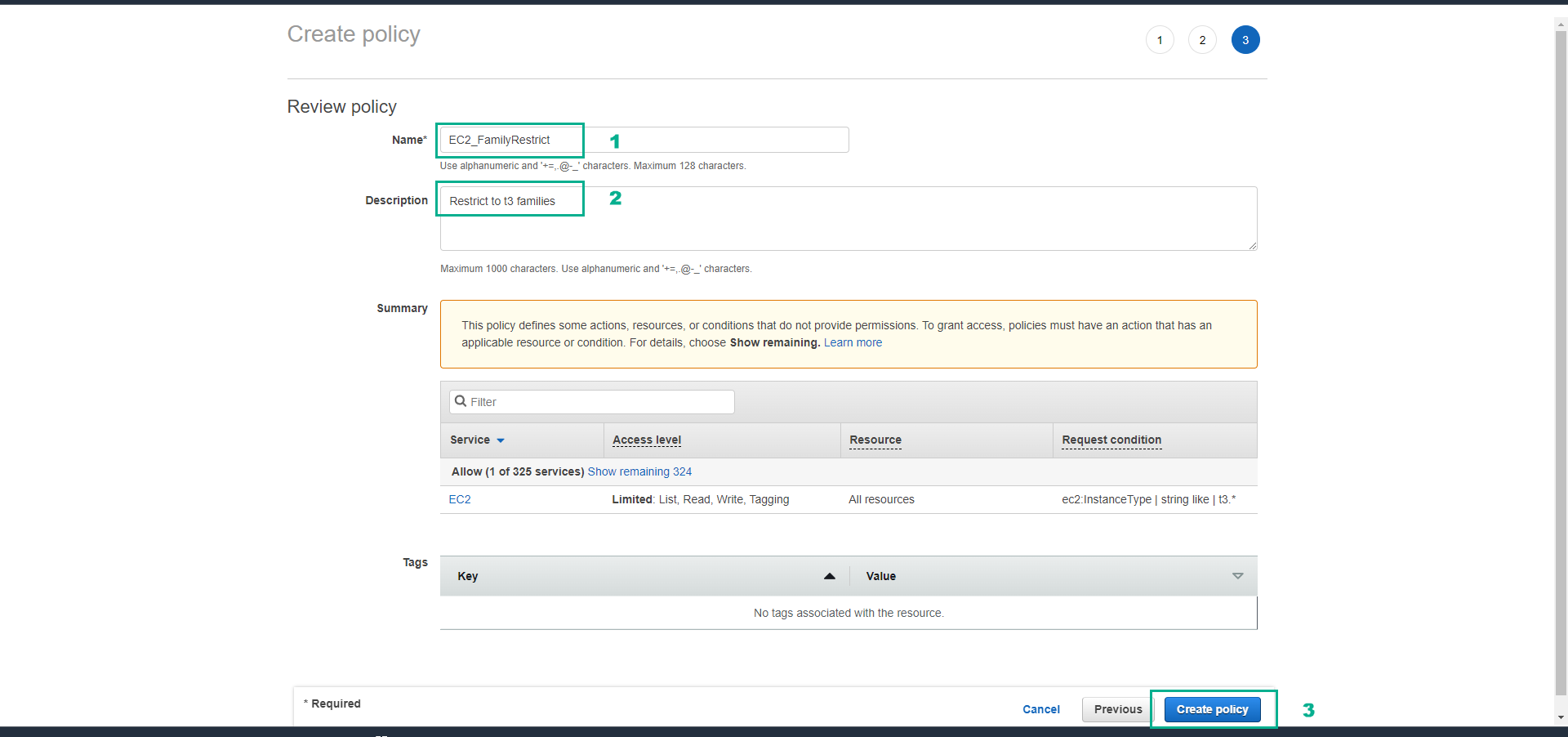
In the next step, we will attach the policy to the CostTest group and then test the effectiveness of this policy.